Color Presets
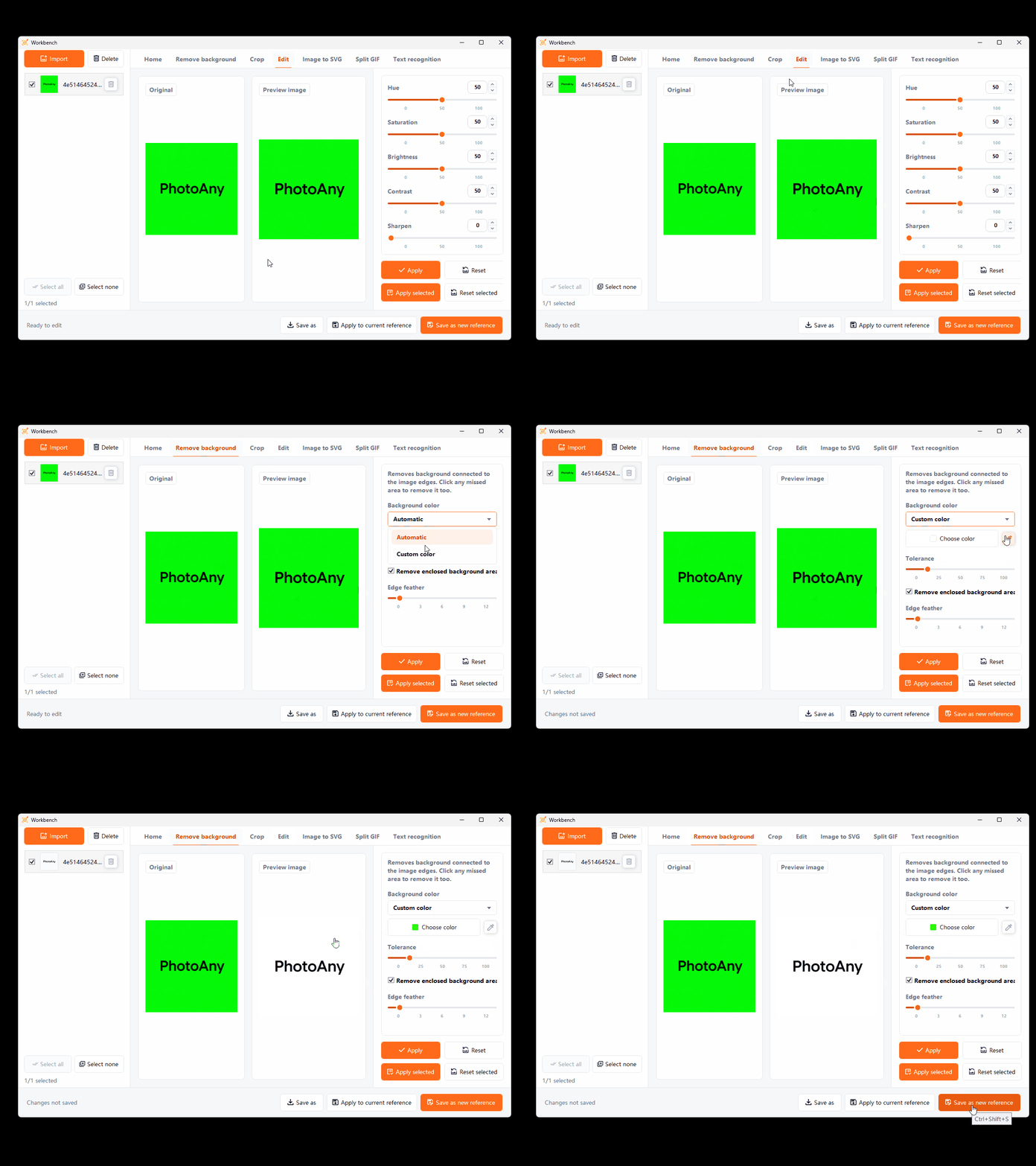
Choose green, white, or black, or enter a custom hex color.
Remove green, white, black, or custom-color backgrounds, then trim transparent margins. In the Workbench, process only selected images and download checked results in a timestamped ZIP.
Key Capabilities
Choose green, white, or black, or enter a custom hex color.
Create a transparent image and trim empty margins automatically.
Process selected Workbench images and create the ZIP only after every result passes validation.
How It Works
Select an image with a clear subject whose background you want to remove.
Open the background tool and wait for subject separation.
Review the edges, then save the result or import it into the workspace.
Frequently Asked Questions
Images with clear subject edges and strong foreground-background contrast usually produce more reliable results.
No guarantee. Fine hair, translucent objects, and similar foreground-background colors are harder to process, so inspect the edges before use.
Removed areas remain transparent, making the result suitable for layouts or formats that support transparency.
More Features