Fast Local OCR
Extract copyable text from screenshots, references, and local images without blocking the interface.
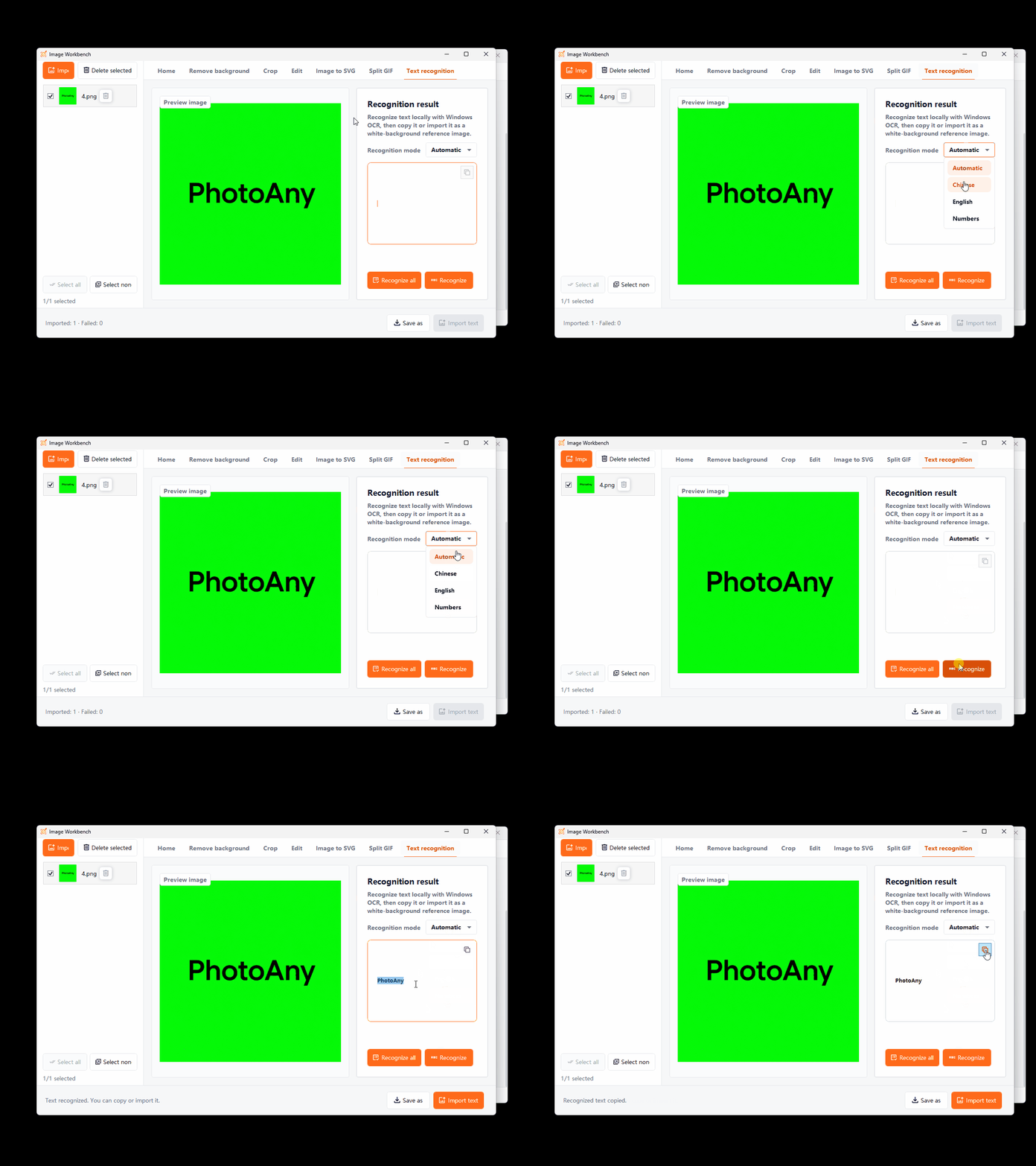
Select an image, recognize text locally with Windows OCR, then copy it or import it as an editable text box. Large images are processed in the background, so the Workbench stays responsive.
Key Capabilities
Extract copyable text from screenshots, references, and local images without blocking the interface.
Copy recognized text directly into documents, searches, or research notes.
Turn recognized text into an editable text box that stays in the desktop workspace.
How It Works
Select the image whose text you want to recognize in the workspace.
Open the OCR tool and wait for the client to extract the text.
Copy the recognized text or create an editable desktop text box.
Frequently Asked Questions
Yes. After importing a screenshot into PhotoAny, run text recognition directly on it.
Yes. Copy the result or import it as an editable desktop text box.
No guarantee. Image clarity, text direction, fonts, and complex backgrounds can affect accuracy, so review the result.
More Features